
Run a photo booth guests line up for
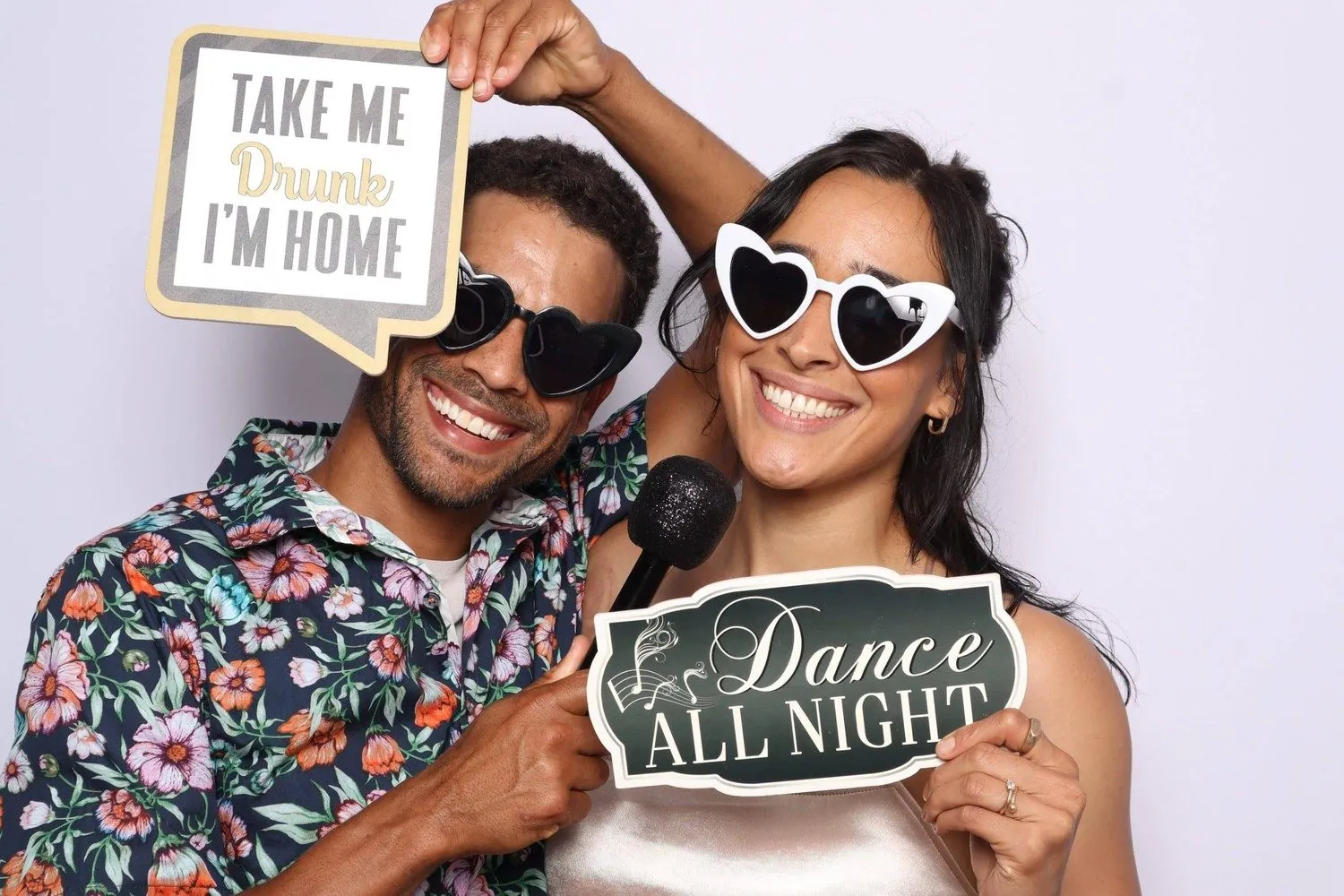
Photos, strips, GIFs and videos in your own designs. Printed on the spot, sent to phones by QR code and saved to an online album for every event.
Every feature in every plan. Cancel any time from your account.
- Photos
- Photo strips
- GIFs & boomerangs
- Videos
- Mirror booth
- 360 videos
- AI portraits
- Prints
- QR, email & text
- Online albums
- LED lights
Everything a booth needs, in one app
Made for people who run booths at weddings, quinceañeras, parties and brand events. Set it up once, then just press start. Every feature is in every plan.
Take the photos
Photos, strips, GIFs & video
Single photos, 2–4 shot strips, GIFs, boomerangs and short videos, with countdowns and retakes guests understand.
Print choices
Guests pick a 2×6 strip, a 4×6 portrait or a 4×6 landscape print before the photos. Every theme makes all three.
Mirror booth
Run a touch mirror: glowing animations, pose prompts read aloud, and guests sign their photo — saved as a video of the ink writing itself.
360 video booth
Put a phone on your 360 platform: slow-motion and rewind videos with your frame and music, shared by QR code.
Online booth
The same booth in a web browser on an iPad, a phone or a laptop. Your events come over from the PC; nothing to install.
Any camera
Webcams, Canon DSLR and mirrorless cameras, HDMI capture cards and every phone lens, with a live view guests can pose to.
Make it yours
43 themes and AI themes
Ready-made themes for weddings, quinceañeras, holidays and parties with matching prints — or upload a client's logo and the AI builds the whole look.
Screen and print designer
Design every booth screen and print layout: photo windows, frame art, text with shadows, shapes, QR codes and your own fonts.
AI Portraits
Turn guests into a Renaissance painting, astronauts or a 70s disco crew in seconds (pay as you go with AI credits).
Background removal
Swap the background behind guests — no green screen needed.
Special guest
Cut out the couple or the birthday star once, and they appear in every photo. Guests gather round them on the screen.
Effects and stickers
Colour filters, effects and your watermark on every photo, with a live preview while you choose.
Share and print
Printing
Two printers, automatic or on request, copies and print limits — and a warning before the paper runs out.
QR code, email and text
Guests scan a QR code to save their photos, or get them by email or text message. Texts use text credits, so you see exactly what you send.
Online albums
Every event gets its own album. Share a view-only link with your client, or tidy it up first.
Sharing kiosks
A free sharing station next to the booth: guests find their photos and share or print them while the next group poses.
Lead capture
Ask guests a few questions before the photos and download the answers as a spreadsheet — made for brand events.
Event report
Guests, photos, prints, shares and the busiest hours on one page, with a private link for your client.
Run the event
Pay to start
Guests pay by card, Apple Pay, Google Pay, Cash App Pay or Zelle from a QR code, and the booth unlocks. The money goes straight to you.
LED lights
Every screen plays its own light scene and the countdown fills the ring with the real seconds. Use our controller or a WLED one.
Virtual attendant
Voice and music clips at every step, so the booth explains itself and you can step away.
Live status and alerts
See every booth live — camera, printer, paper left — and get an email or text when the paper runs out or a booth goes offline.
Sync between booths
Events, designs and layouts sync between every PC and the online booth on your account.
Works offline
Photos, printing and the booth run without internet; uploads, emails and texts catch up when it's back.
Lights that follow the booth
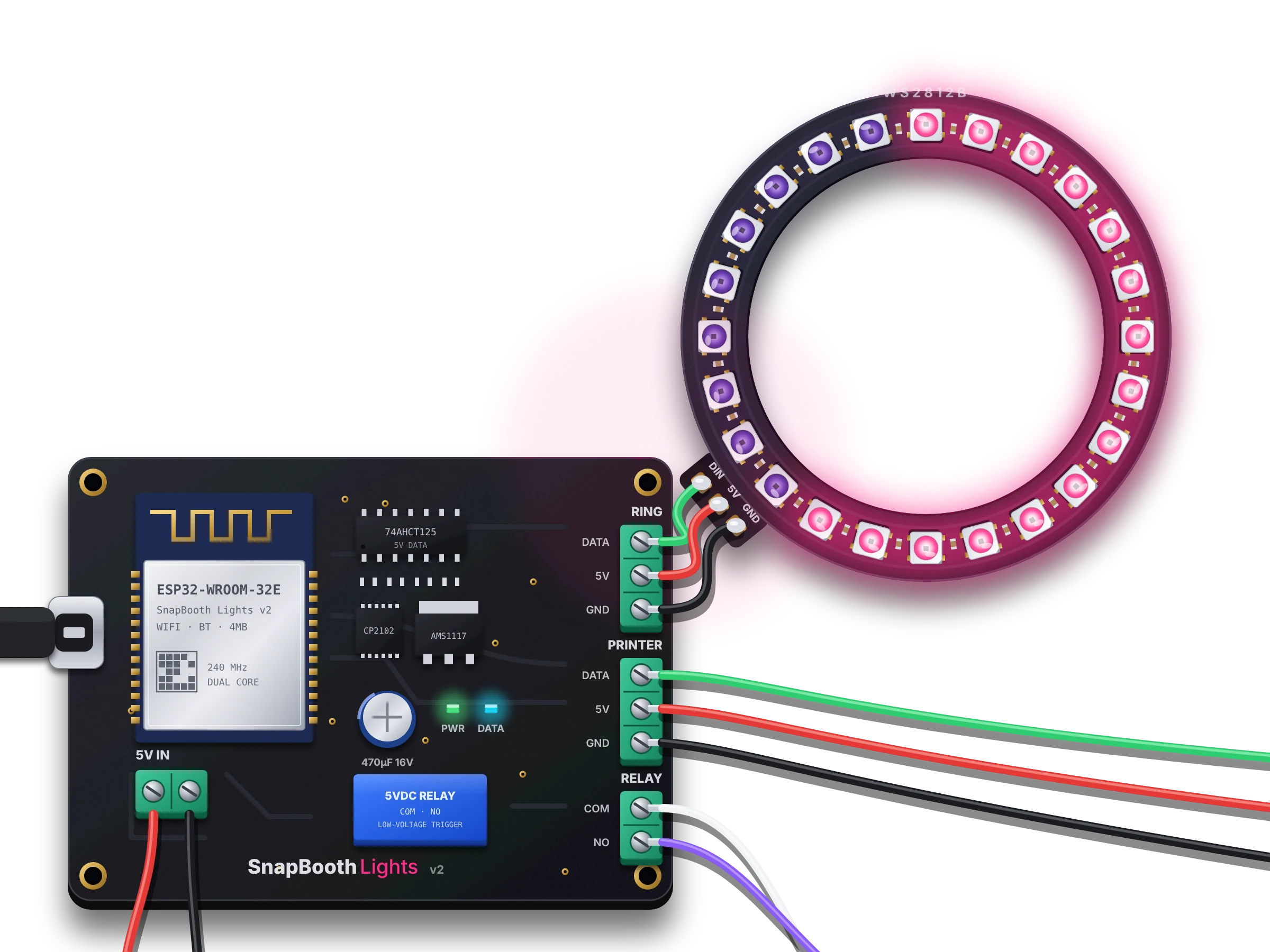
The SnapBooth Lights controller comes programmed and ready. Plug it into the booth PC (or the computer running the online booth), press Connect, and your LED ring glows on the welcome screen, fills with the countdown, flashes for the photo and pulses while the print comes out.
In the box
- ESP32 controller, programmed with SnapBooth Lights
- Screw terminals for the LED ring, a printer strip and 5 V power
- Relay output for a flash or fog machine
- USB cable
- Step-by-step installation guide (PDF)
$45 + $7.95 shipping (US)
Works with the PC app and the online booth (Chrome or Edge), and with addressable LED rings and strips (WS2812B, SK6812, NeoPixel). Already have a WLED controller? The booth drives that too.
Up and running before your next event
Pick a plan
Try it free for 14 days. Monthly or yearly, cancel any time.
Install and activate
Download the app on your Windows booth PC, enter your product key and choose your login.
Run your event
Pick a layout, press start and let your guests have fun.
Simple plans, every feature
Every plan has every booth mode and feature. Bigger plans run more booths at once and come with more AI credits.
Solo
1 booth
$19/month
Billed monthly, cancel any time
14 days free, then $19/month. Cancel anytime.
$12.42/month
$149 billed yearly (instead of $19 a month)
14 days free, then $149/year. Cancel anytime.
- 1 booth PC
Pro
Up to 2 booths at once
$29/month
Billed monthly, cancel any time
14 days free, then $29/month. Cancel anytime.
$14.92/month
$179 billed yearly (instead of $29 a month)
14 days free, then $179/year. Cancel anytime.
- 2 booth PCs at the same time
- Events sync between your PCs
Studio
Up to 5 booths at once
$59/month
Billed monthly, cancel any time
14 days free, then $59/month. Cancel anytime.
$33.25/month
$399 billed yearly (instead of $59 a month)
14 days free, then $399/year. Cancel anytime.
- Up to 5 booth PCs
- Events sync between your PCs
Every plan includes
- Every feature included
- Photos, strips, GIFs & video
- Print, QR & email sharing
- Online albums for every event
- AI Portraits & background removal
Or try it free for 14 days — no card needed
Already a customer? Log in
Questions
Not sure yet? Start the free trial and try every feature at your next event.
How does the free trial work?
You enter your card at sign-up but pay nothing for 14 days. Cancel before then from your account page and you won't be charged.
Can I cancel anytime?
Yes. Cancel from your account page; the booth keeps working until the end of the period you paid for.
Are some features only in the bigger plans?
No. Every plan has every feature, including the mirror booth, the 360 booth and AI themes. Bigger plans run more booths at the same time and include more AI credits each month.
How many booths can I use?
Each plan says how many booths can run at the same time: a Windows PC, or the online booth on an iPad, phone or laptop. Sharing kiosks are free and don't count. Your events and designs sync between them.
What are AI credits?
One credit makes one AI portrait; an AI theme made from your logo uses 3. Every plan comes with credits each month, and you can buy more on your account page. Extra credits cost as little as 8¢ each.
Do I need internet at the event?
Photos, printing and the booth work offline. QR downloads, online albums, email and AI Portraits need internet; photos upload when it comes back.
What camera do I need?
A good webcam works out of the box. Canon DSLR and mirrorless cameras, HDMI capture cards and phone or tablet cameras (in the online booth) work too.
How do text messages work?
Guests type their number on the sharing screen and get a link to their photos. Each text uses a text credit; you add credits on your account page (or switch on automatic top-up), separately from AI credits.
Do I need the lights controller?
No — the booth works without lights. Add the controller when you want an LED ring that follows the booth: glowing on the welcome screen, filling with the countdown and flashing for the photo.
Which LEDs work with the controller?
Addressable 5 V LEDs — WS2812B, SK6812 or NeoPixel rings and strips — plus a second strip at the printer and a relay. The installation guide shows the wiring and the power supply to use. Plain one-colour RGB strips and Bluetooth light kits need their own WLED controller instead.
Try it at your next event, free for 14 days
Every feature, on as many booths as your plan allows. Cancel any time from your account.